Your agent keeps working. You don't have to sit there.

Speak a task to your Apple Watch. Claude Code does the work on your Mac, asks before risky steps, and sends the result back to your wrist.

1-week free trial. The Mac app is free. You'll need an Apple Watch, an iPhone, and an Apple silicon Mac (macOS 26 or later) with Claude Code set up.

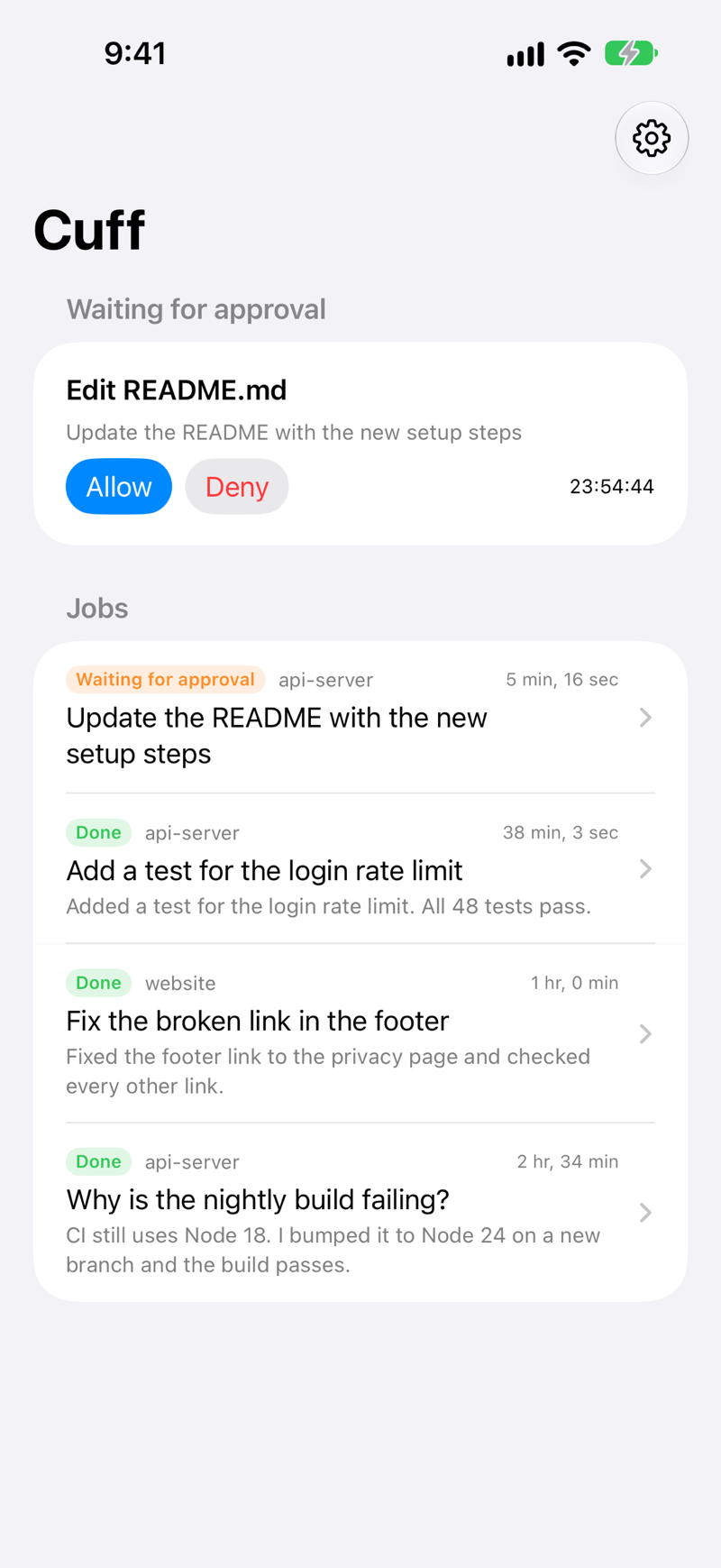
The Cuff iPhone app listing an edit waiting for approval and three finished jobs.
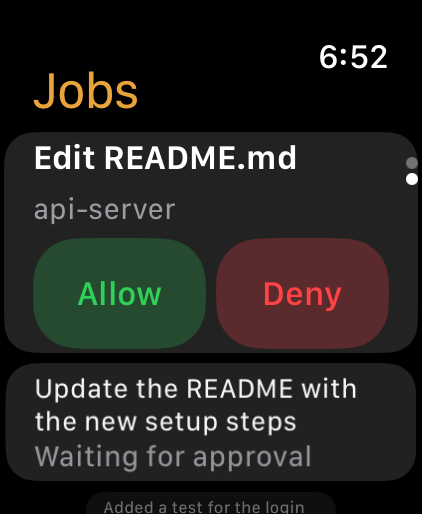
Apple Watch asking to allow or deny an edit to README.md.

Three moments on your wrist. The rest happens on your Mac.

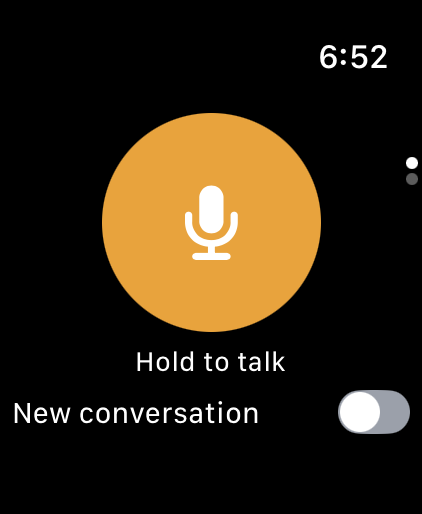
  1. Apple Watch showing a large microphone button labeled Hold to talk.
    1

    Say what you need

    Hold to talk and say it the way you'd tell a teammate. Cuff sends it to the right project on your Mac. Follow-ups continue the same conversation.

  2. Apple Watch asking to allow or deny an edit to README.md.
    2

    Approve what matters

    Before your agent runs a command or edits a file you haven't allowed, it asks. Answer from your Watch, your iPhone, or the notification.

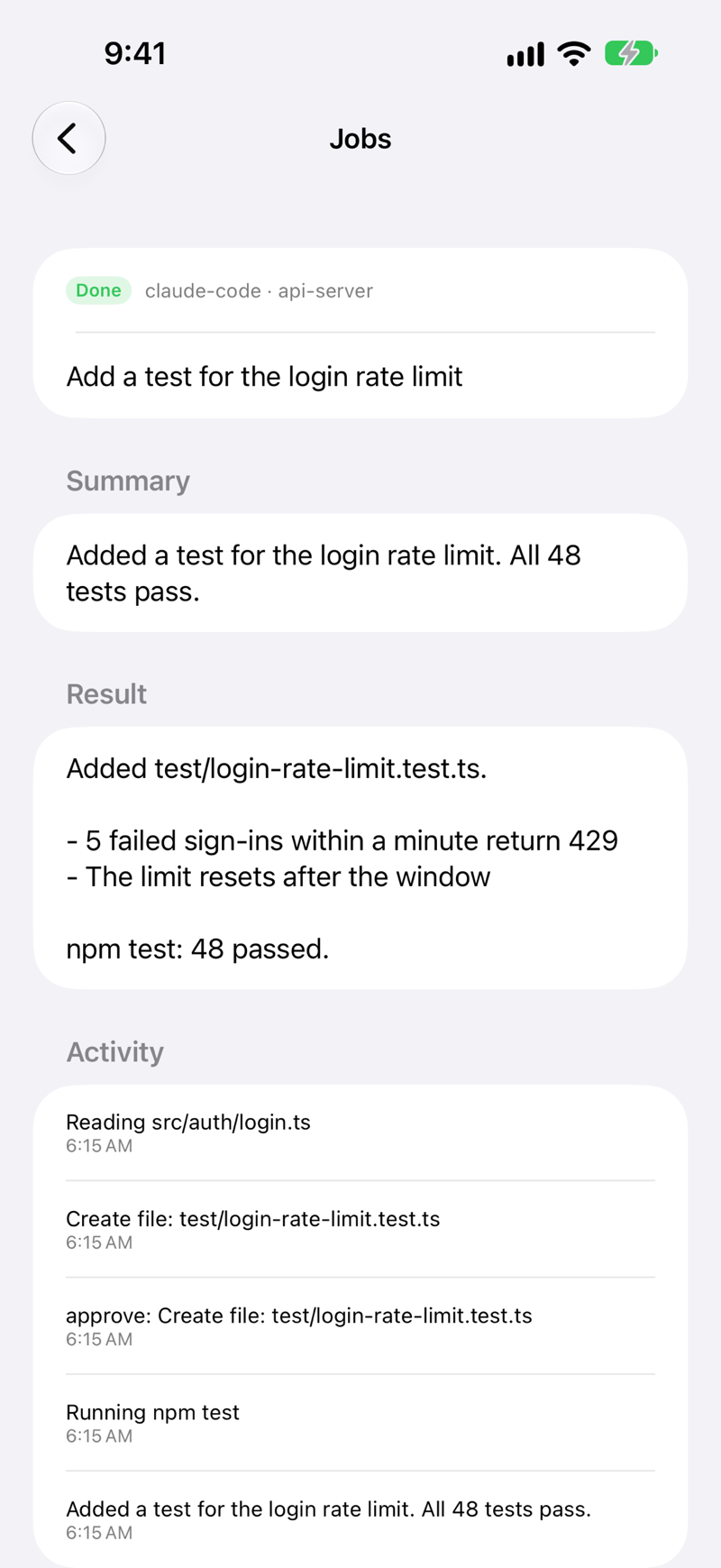
  3. The Cuff iPhone app showing a finished job with its summary, result and activity.
    3

    Get the result

    A short summary arrives on your Watch and iPhone when the work is done. Open the job on your iPhone for the full result and everything the agent did.

For the work that doesn't need you at your desk

Your Mac. Your agent. Your call.

Three steps to set up

You'll need Claude Code, or Codex (beta), already set up on your Mac. No domain, no port forwarding.

  1. Install on your Mac

    Download the free menu bar app.

  2. Install on your iPhone

    Get Cuff on the App Store. It comes with the Apple Watch app.

  3. Scan the QR code

    Choose Pairing… in the menu bar app and scan it with your iPhone. Your Watch gets its settings from there.

Prefer Homebrew? brew trust --cask cuff-agent/cuff/cuff-agent brew install --cask cuff-agent/cuff/cuff-agent

Homebrew 7.0.11 and later only load casks from taps you trust, so the first command is needed.

Try it free for a week

Cuff Pro unlocks everything in the iPhone and Apple Watch apps. The Mac app is free.

Monthly
$4.99 / month
Yearly
$53.99 / year
About 10% less than paying monthly

Questions

Which agents does it work with?

Claude Code works out of the box. Codex is available in beta and is off by default. Here's how to turn it on.

Do I need an Apple Watch?

Yes, to speak requests. You'll also need an iPhone: it pairs with your Mac, and lets you approve steps and read results.

Does my Mac have to stay on?

Yes. Your Mac does the work, so it needs to be awake and online with the menu bar app running.

Does it work away from home?

Yes. Your Watch reaches your Mac through our encrypted relay, so you don't need to be on the same network or open any ports. If you'd rather not use the relay, you can expose your own HTTPS endpoint.

What if I miss an approval?

It expires and counts as a deny, and you get a notification. You can retry the job with the same request in the same session.

Which languages does it understand?

English and Japanese.

Which devices are supported?

An Apple silicon Mac on macOS 26 or later, iPhone on iOS 17.2 or later, and Apple Watch on watchOS 10.2 or later.

Anything else? See Support or email support@cuffagent.app.

Hand it off. Get on with your day.

Agents, off the cuff.